
Just bind To 127.0.0.1
Published on 1/6/2026 • 3 min read
Exposed Services
Occasionally I get post on my xitter feed like this one:
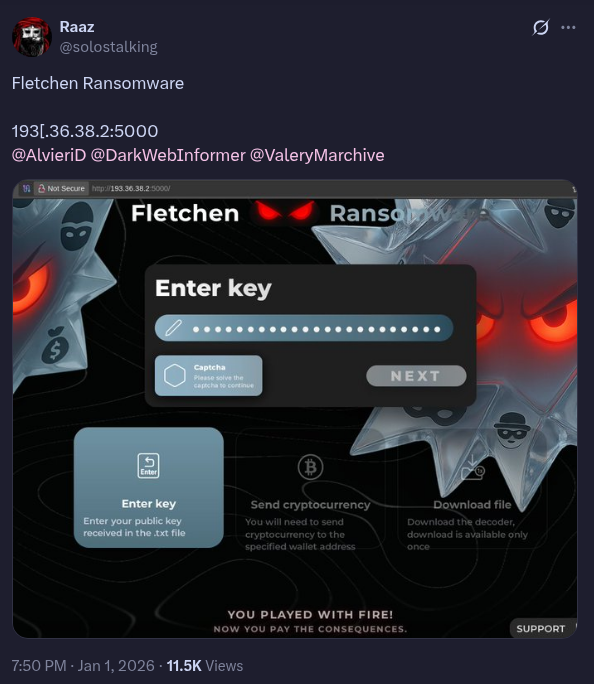 An exposed IP and port found in the wild.
That link to some (typically blackhat related) service ip and port it’s running on. And while I’m no darknet market admin hiding from governemnts all around the world, so I won’t and can’t accurately detail full steps to be invisible to that level outside of tor, but I do care a bit about privacy and security and will give some basic good practice steps to take for running your services.
Bind to localhost
This problem is easily avoided by just binding the service to 127.0.0.1, whether hard coded in your code like in go with gin (r.Run("127.0.0.1:8000")) or in bun (serve({port: 3000,hostname: "127.0.0.1",) or with ENV variable (HOST=127.0.0.1 PORT=3000 node ./build/index.js), just bind your services to 127.0.0.1 and reverse proxy it to whatever domain you’re using with caddy, traefik, or even cloudflare tunnel
Most docker tutorials and oneline scripts simply give you -p 8080:8080 which binds it to every interface (0.0.0.0) you should instead use -p 127.0.0.1:8080:8080
”But how do I access my services remotely?”
“Oh but how do I connect directly to my postgres db on my server locally in DBeaver?,” or wtv you might ask, the answer: VPNs, unironically this time it’s more in line with the “stay safe from hackers” that most vpns try to market because this will be secure way for only you to talk to your services.
For 90-95% of people, tailscale is more than enough and stupidly easy to get up and running, netbird is also a strong contender.
For those like me who run mullvad 24/7 with killswitch enabled to prevent traffic leaking outside of the VPN, these options are kind of a bitch to use, they use the 100.x ip range and interfere with mullvads connection and sure I could fork out more cash and pay tailscale to allow me to use mullvad as an exit node, but no.
So instead, gotta make your own and use the 10.x range, I personally use innernet, but you could easily selfhost wg-easy, netmaker, netbird or literally any of the options available
This would then require you to bind to 127.0.0.1:port, {vpn-ip}:port, {tailscale-ip}:port, with docker its as easy as adding another port flag (or another port mapping in portainer) -p {vpn-ip}:8080:8080
And now you have a private mesh network of apps and services not being directly connected to internet for others to constantly attempt direct access to :D
Or just use SSH
And honestly, there’s also

SSH has port forwarding that allows you to ssh into a server and access the local running service on that server, on your host via localhost:port you can setup your ~/.ssh/config like this:
Host {server-hostname}
  HostName {server.ip.x.x}
  User {username}
  Port 22
  IdentityFile ~/.ssh/id_key
  LocalForward 3001 localhost:3000
Then whenever you ssh {server-hostname} you’ll be able to access whatever service is running on :3000 on your host at :3001